OpenLiteSpeed for macOS
A native Mac build of the OpenLiteSpeed web server with a menu bar app for local development. Every folder in ~/Sites opens as http://folder.test/, with PHP 8.2 to 8.5, MariaDB and no Docker or Homebrew.
Free and open source under GPL-3.0. OpenLiteSpeed 1.9.4 for Apple silicon and Intel on macOS 13 or newer.
% openlitespeed --new-site blog
http://blog.test/  ->  /Users/you/Sites/blog/
1 site(s)
site blog.test created at /Users/you/Sites/blog
HTTP/1.1 200 OK
x-powered-by: PHP/8.4.27
content-type: text/html; charset=utf-8
server: LiteSpeed
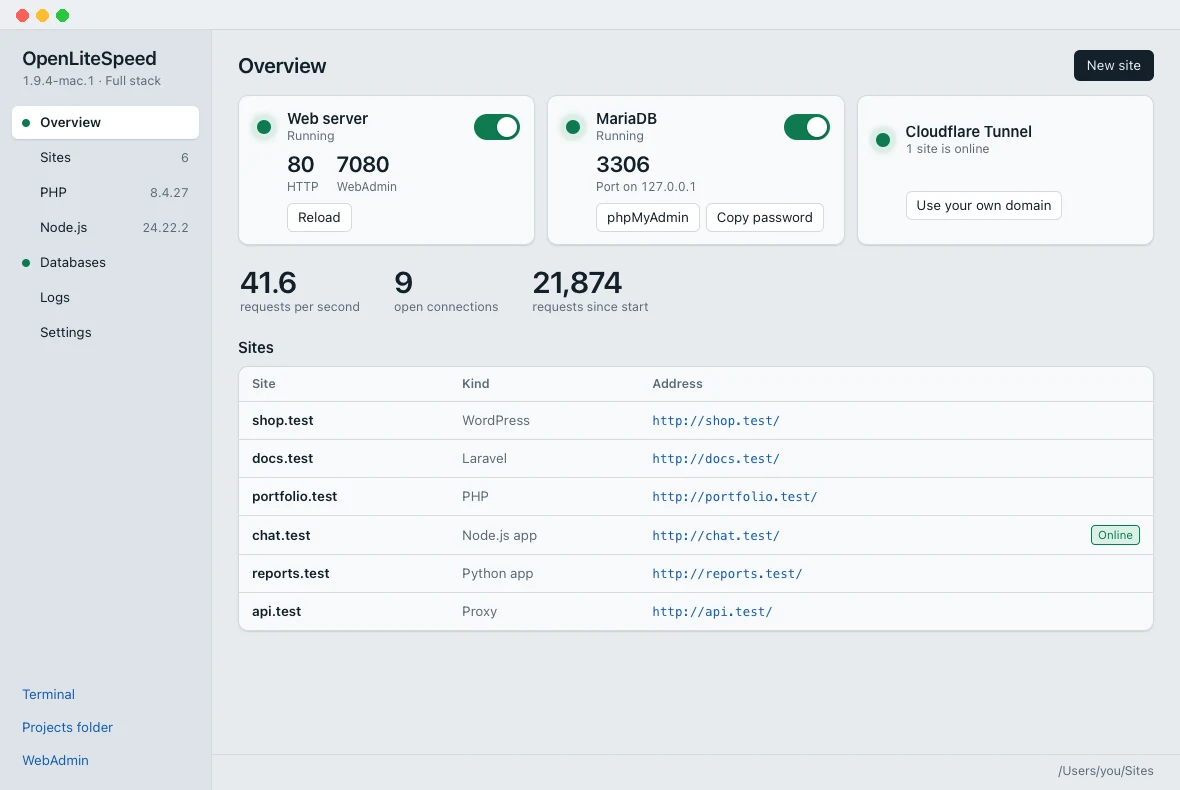
Your local sites in one window
The dashboard opens from the menu bar. It is a window of the app, not a web page, so it does not listen on a port.
What you get
The OpenLiteSpeed server from Linux, with the tools a Mac developer needs around it.
- A native Mac program
- Built for Apple silicon and Intel with the Xcode tools. It runs as your user, starts at login and stays in the menu bar.
.testnames without/etc/hosts- A small DNS responder answers for
*.testand macOS asks it through/etc/resolver. - PHP 8.2 to 8.5
- Built for macOS with LSAPI, OPcache and 50 extensions. Pick a version for each site and change
php.inisettings in a form. - WordPress, Laravel, Node.js, Python
- New site creates a plain PHP site, a WordPress site with its database, a Laravel project with Composer, or a Node.js or Python app.
- MariaDB and phpMyAdmin
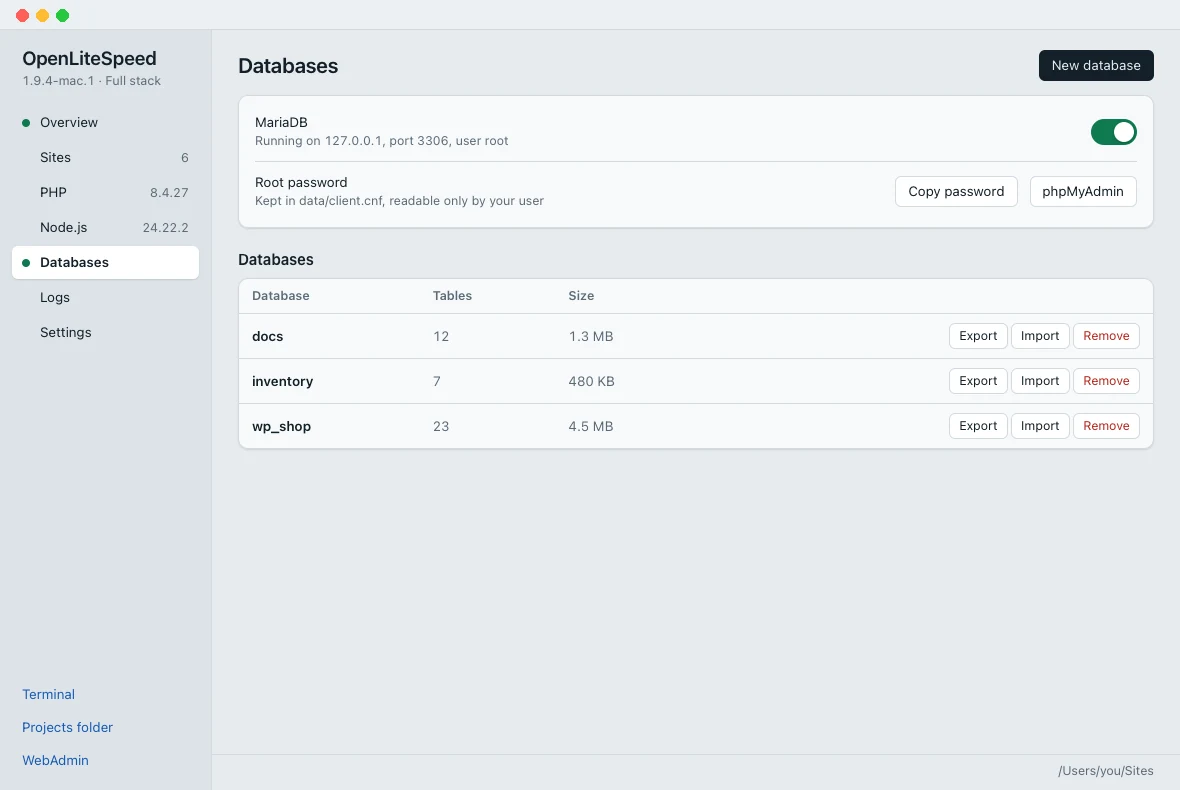
- MariaDB 11.8 on 127.0.0.1 with a generated root password. Create, export and import databases from the dashboard.
- Share a site with Cloudflare Tunnel
- A public https address for a site on your Mac, with no port forwarding and no public IP. Your own domain works too.
- Trusted local HTTPS
- A certificate authority made on your Mac that can only sign
.test,.localhostand.internalnames. .htaccessas in Apache- Rewrite rules, access rules, passwords and
<Files>sections, applied within a second when a file changes. - Move from MAMP, Homebrew or Herd
- Imports the sites of Apache and nginx from Homebrew, MacPorts, MAMP, XAMPP and Laravel Herd, with certificates, redirects and access rules.
- Protection modules
- ModSecurity 3 with the OWASP Core Rule Set, Lua scripts, reCAPTCHA and limits per client, for a Mac that serves the internet.
- Every CPU core
- One HTTP worker per core on the same ports, restarted after a crash, with a reload that drops no connections.
- Signed updates
- The menu bar app finds a new release, checks its Ed25519 signature and installs it when you confirm.
A PHP version for every site
Each folder in ~/Sites is a site. Choose its PHP version, run it as a Node.js or Python app, or add a proxy site for an app on a local port.
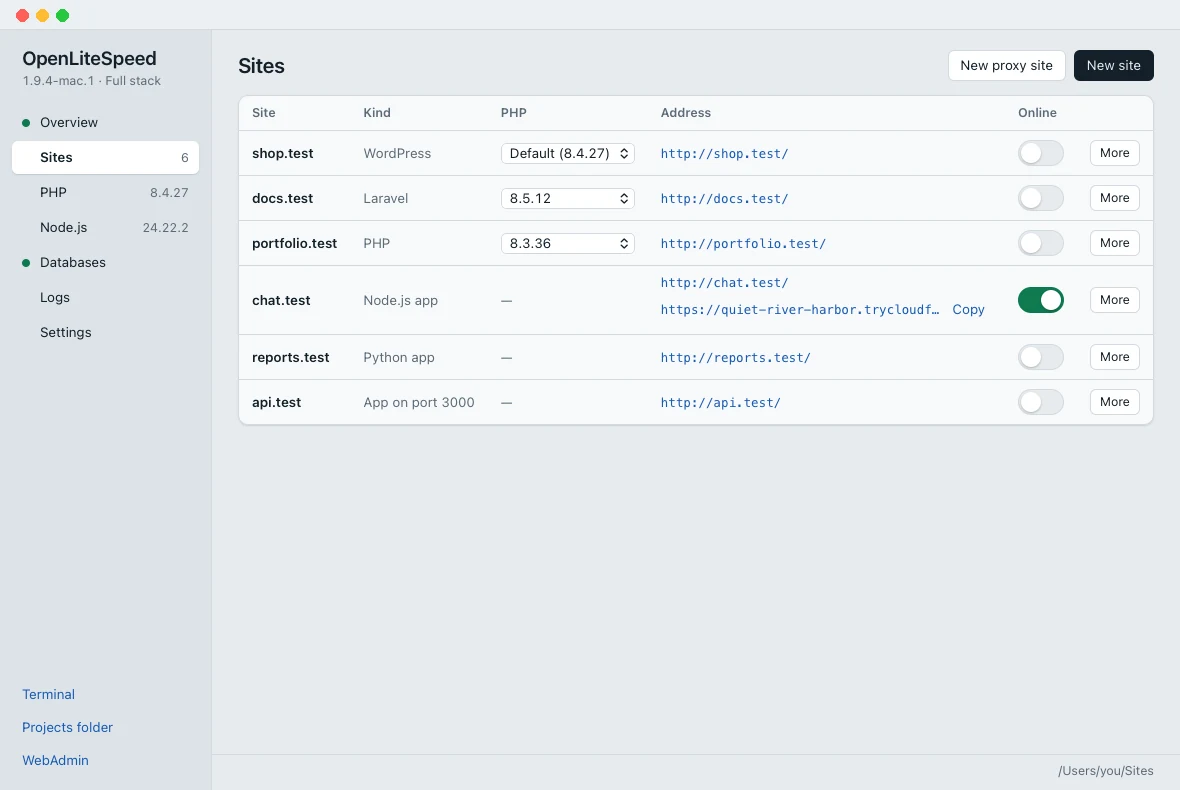
chat.test is online through Cloudflare Tunnel.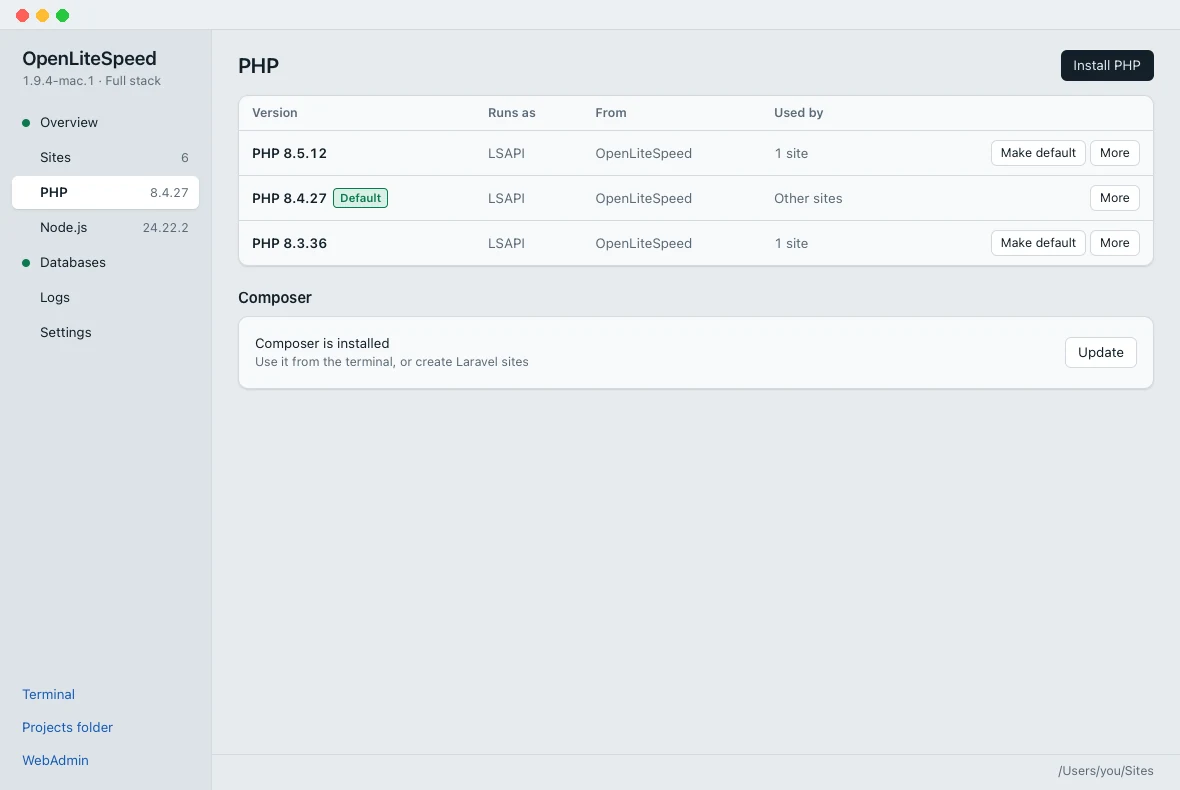
Put a local site online
Show a client the site you are working on without uploading it. The connection goes out from your Mac, so it works behind a router and nothing is opened in the firewall.
Turn on Online
Click the switch next to a site, or run
openlitespeed --tunnel start shop.Send the address
Cloudflare gives the site a random
https://*.trycloudflare.comaddress. Visitors keep their own IP address in the logs and in PHP.Turn it off
The address stops working when you turn the switch off. phpMyAdmin and WebAdmin never go online.
For your own domain, paste a tunnel token from Cloudflare Zero Trust under Use your own domain.
% openlitespeed --tunnel start shop
cloudflared 2026.10.7 installed
URL https://quiet-river-harbor.trycloudflare.com
% openlitespeed --tunnel status
cloudflared installed
token none
site shop https://quiet-river-harbor.trycloudflare.com
Install OpenLiteSpeed on a Mac
A disk image of about 70 MB with the server, PHP 8.4 and the menu bar app.
Download
Get the disk image from the latest release:
-macos-arm64.dmgfor Apple silicon,-macos-x86_64.dmgfor Intel.Drag to Applications
Open the disk image and drag OpenLiteSpeed to Applications. The first time, macOS blocks the app: open System Settings > Privacy & Security and click Open Anyway.
Open your sites
The app installs the server to
~/Library/OpenLiteSpeedand asks for your password once for the.testnames. Sites answer on port 80, or 8080 when port 80 is in use. WebAdmin is athttps://localhost:7080/.
Check the download
shasum -a 256 -c SHA256SUMS.txt --ignore-missing
Command line
Everything the dashboard does is also available from ~/Library/OpenLiteSpeed/bin/openlitespeed. Terminal in the dashboard opens a shell with PHP, Composer, Node.js and the MariaDB client on the PATH.
| Command | What it does |
|---|---|
-s start|stop|restart|reload|status | Controls the server. reload is a restart without downtime. |
--new-site <name> [--wordpress|--laravel|--node|--python] | Creates a site in the projects folder |
--site php <site> <folder>|default | Uses another PHP version for one site |
--php list|available|install <8.x> | Lists and installs PHP versions |
--db install|start|stop|list|create|export|import | Installs MariaDB and phpMyAdmin and manages the databases |
--tunnel start|stop <site>, --tunnel status | Puts a site online with Cloudflare Tunnel or takes it offline |
--proxy add <name> <port> | Adds a proxy site for an app on a local port |
--import-apache|--import-nginx [config] [--dry-run] | Imports the sites of Apache or nginx |
--dev-https on|off | Turns trusted HTTPS for the local sites on or off |
--status | Prints the server, PHP, sites, database and tunnels as JSON |
Questions
Is there an official OpenLiteSpeed for macOS?
No. LiteSpeed Technologies builds OpenLiteSpeed for Linux. OpenLiteSpeed for macOS is an independent native port of OpenLiteSpeed 1.9.4, with the complete source code on GitHub.
Does it need Docker or Homebrew?
No. The server, PHP, MariaDB and the menu bar app are built for macOS and installed from a disk image. Homebrew, MAMP or Docker can stay on the Mac, but none of them is needed.
Does it run on Apple silicon?
Yes. Every release has a disk image for Apple silicon (arm64) and one for Intel (x86_64). Both run on macOS 13 Ventura or newer.
Which PHP versions work?
PHP 8.2, 8.3, 8.4 and 8.5, built for macOS with the LiteSpeed SAPI, OPcache and 50 extensions such as intl, gd with WebP, mbstring, PDO MySQL, SQLite, sodium and zip. PHP 8.4 is included, the other versions are installed from the dashboard. Every site can use its own version.
How do the .test names work?
Every folder in ~/Sites opens as http://folder.test/. A small DNS responder on 127.0.0.1 answers for *.test and macOS asks it through /etc/resolver, so /etc/hosts is never changed. macOS asks for your password once, when this is set up.
Can I show a local site to someone else?
Yes. Turn on Online next to a site and Cloudflare Tunnel gives it a public https address. It works behind a router or NAT and nothing is opened in the firewall. Your own domain works with a tunnel token from Cloudflare Zero Trust. See Put a local site online.
Does it include a database?
Yes. The Databases page installs MariaDB 11.8 and phpMyAdmin 5.2. MariaDB listens on 127.0.0.1 only, gets a generated root password, and every new WordPress site gets its own database and user.
Do .htaccess files work?
Yes, as in Apache: rewrite rules, access rules such as Require and Deny from all, passwords, <Files> sections, Options Indexes and php_flag engine off. A changed .htaccess file takes effect within a second.
Can I move my sites from MAMP, Homebrew or Laravel Herd?
Yes. openlitespeed --import-apache and --import-nginx find the configuration of Homebrew, MacPorts, MAMP, XAMPP and Laravel Herd and create a site for every virtual host or server block, with domains, SSL certificates, redirects, rewrite rules, aliases, proxies, access rules and passwords. --dry-run shows the report first. See the Apache and nginx guides.
Why does macOS ask me to click Open Anyway?
The app is not notarized by Apple yet. The first time you open it, go to System Settings > Privacy & Security and click Open Anyway. Later launches open normally.
How is it updated?
The menu bar app checks GitHub once a day. Update available downloads the new disk image, checks it against the release checksums and their Ed25519 signature, and installs it when you confirm. The configuration and the sites are kept.
How do I uninstall it?
Quit the app from the menu bar, run ~/Library/OpenLiteSpeed/bin/openlitespeed --dev-dns off to remove the .test resolver, then delete OpenLiteSpeed from Applications and the ~/Library/OpenLiteSpeed folder. Your sites in ~/Sites stay where they are.